How easier editing lifted conversions for millions of Spreadshirt users
TL;DR
TL;DR
- On Spreadshirt, anyone can design custom apparel in a tool called the Designer. The data showed users dropping off right after they added a design, and conversion was dropping.
- Talking to those users, the cause was clear: editing. They had a design, from ChatGPT or our AI, but editing it and making it print-ready was full of friction. Removing the background, changing the colours and editing the text took lots of workarounds many users didn’t know. Especially on mobile.
- So I led a rebuild of the editing experience: backgrounds off in a tap, easy recolouring, and text editing that finally works on mobile.
- We shipped every fix behind an A/B test on the live product, and iterated when it didn’t fully solve the problem.
- After several rounds, conversion rose for every kind of user: those who uploaded their own design +11%, who added text +20%, who used one of our gallery designs +12%, and who used our AI designs +9%.
Context
On Spreadshirt, anyone can create custom apparel
Spreadshirt lets anyone design their own apparel and lifestyle products, t-shirts, hoodies, jerseys, to wear themselves, give as a gift, or represent a company, team or club. The Designer is the tool where they create it.
Getting a starting image is the easy part now: generate one with Spreadshirt AI, upload one you made with ChatGPT, or pick from thousands of designs made by our community.
I led the editing experience, everything you do after that to make the design truly yours and print-ready. A close collaboration with another designer on my team, inside a full product team.
Problem
Users dropped off right after adding their design
Digging into the funnel, one pattern stood out. Users were abandoning right after they got a design onto the product, whether they uploaded their own, picked one from the gallery, or added text. Overall conversion kept decreasing with it.
Insight
The drop-offs all came down to editing
We talked to the users who left, and the cause was the same every time: editing. The design was on the product, but making it look right and print-ready was full of friction. Two problems came up again and again.
Making an image look right on the product was hard.
It arrived as a raw rectangle, with a background they didn’t want and colours that clashed with the garment, and the tools to fix it were buried. So a design that looked great on its own looked wrong the moment it hit the product. “I uploaded my logo and it came on a white square, and I couldn’t find how to remove it.”
Adding and editing text was hard, especially on mobile.
A name, a date or a slogan is the most common thing people put on a product, and it was the most frustrating. Text spilled outside the print area, fought every edit, and on mobile the keyboard hid what you were typing. “I tried to add my name and it jumped off the shirt, then I couldn’t even see it.”
Solution
Make a design look right, in a few taps
Backgrounds, gone in a tap.
The thing people couldn’t find is now one clear action.
Recolour, or rework it with AI.
Match an image to the product or restyle it in a tap. For a bigger change, regenerate the whole artwork with AI.
Text that behaves.
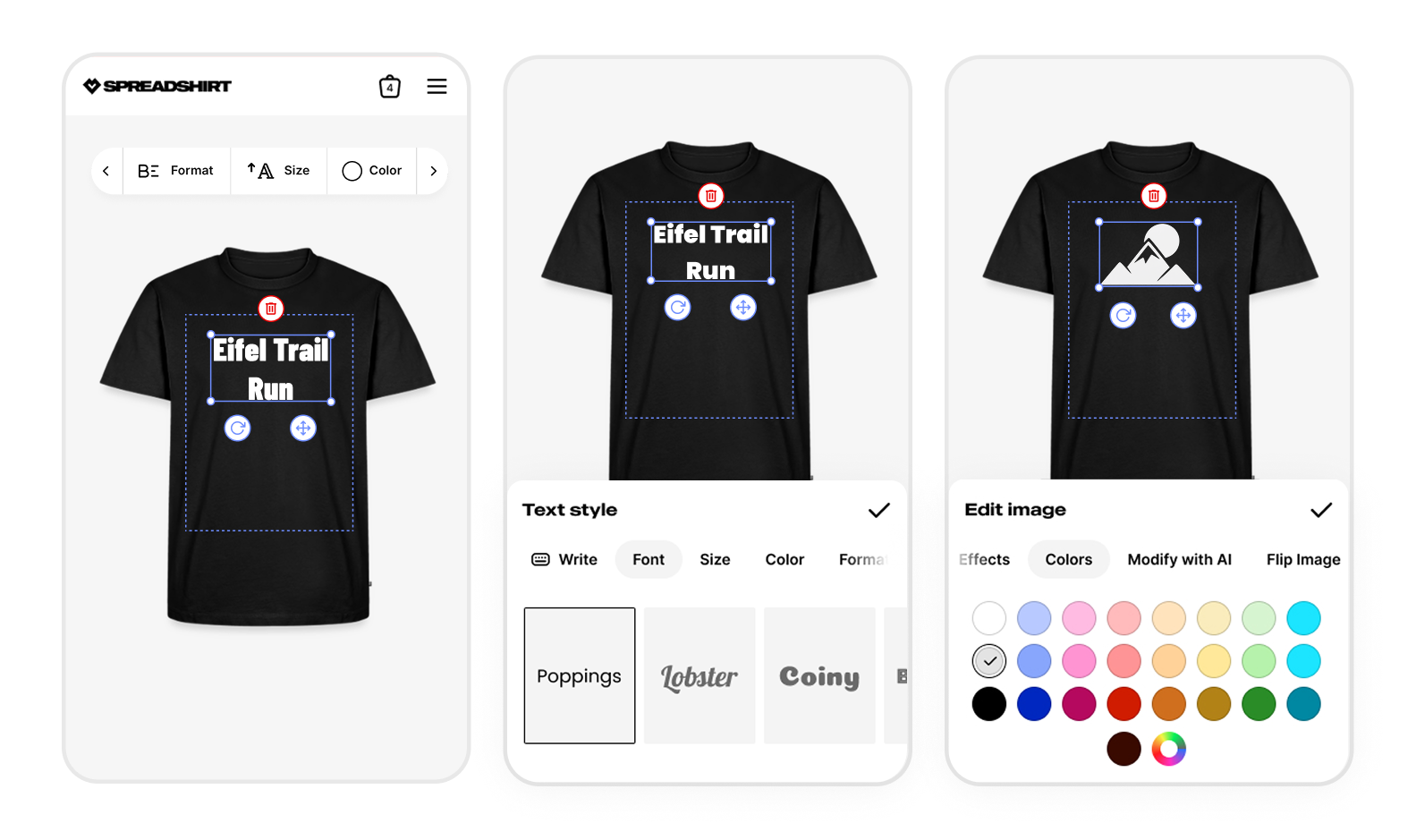
Tap it and you’re typing. It stays inside the print area, no errors, and on mobile the view lifts so you always see what you write.
One toolbar, built for your thumb.
The same simple controls for text, images, AI and graphics, all as reach-friendly bottom-sheets.
Better on desktop, too.
The same rebuild carried across: a clean side panel instead of bottom-sheets, the same one-tap recolour, background removal and AI, with more room to work.
Impact
Editing lifted conversion for every type of user
Every fix shipped behind an A/B test on the live product. These numbers aren’t a single launch, they’re where we landed after several rounds of testing and iteration. Conversion rose for every kind of user:
- CVR for users who added text
- +20%
- CVR for users who added text
- CVR for users who picked a design from our gallery
- +12%
- CVR for users who picked a design from our gallery
- CVR for users who uploaded their own design
- +11%
- CVR for users who uploaded their own design
- CVR for users who generated a design with AI
- +9%
- CVR for users who generated a design with AI
Role & team
I led editing hands-on: design, research, testing
As Head of Product Design I led this initiative hands-on, in the research, the design, the prototyping and the testing. It was a very close collaboration with Ekran, the other designer on that team, who also led the redesign of other important parts of the experience like product selection, sizing, print techniques and on-canvas behaviour, inside a full product team of a PM and engineers.
It became one of the biggest revenue drivers around that time, and it came from a team firing on every cylinder, people who all cared about getting it right. None of these numbers happen without them. The win belongs to all of us.